Currently using Nuki Smart Lock Pro (5th gen) with firmware 5.8.10
When searching for firmware update I always get an error about missing internet connection.
My phone has internet connection.
The lock is connected via Thread locally, remote control disabled, no WiFi is configured.
Firmware updates have worked fine until now, being uploaded from the phone.
Could you elaborate which OS you are using and which App version specifically? and if you could provide a screenshot of the error message that would help as a starting point
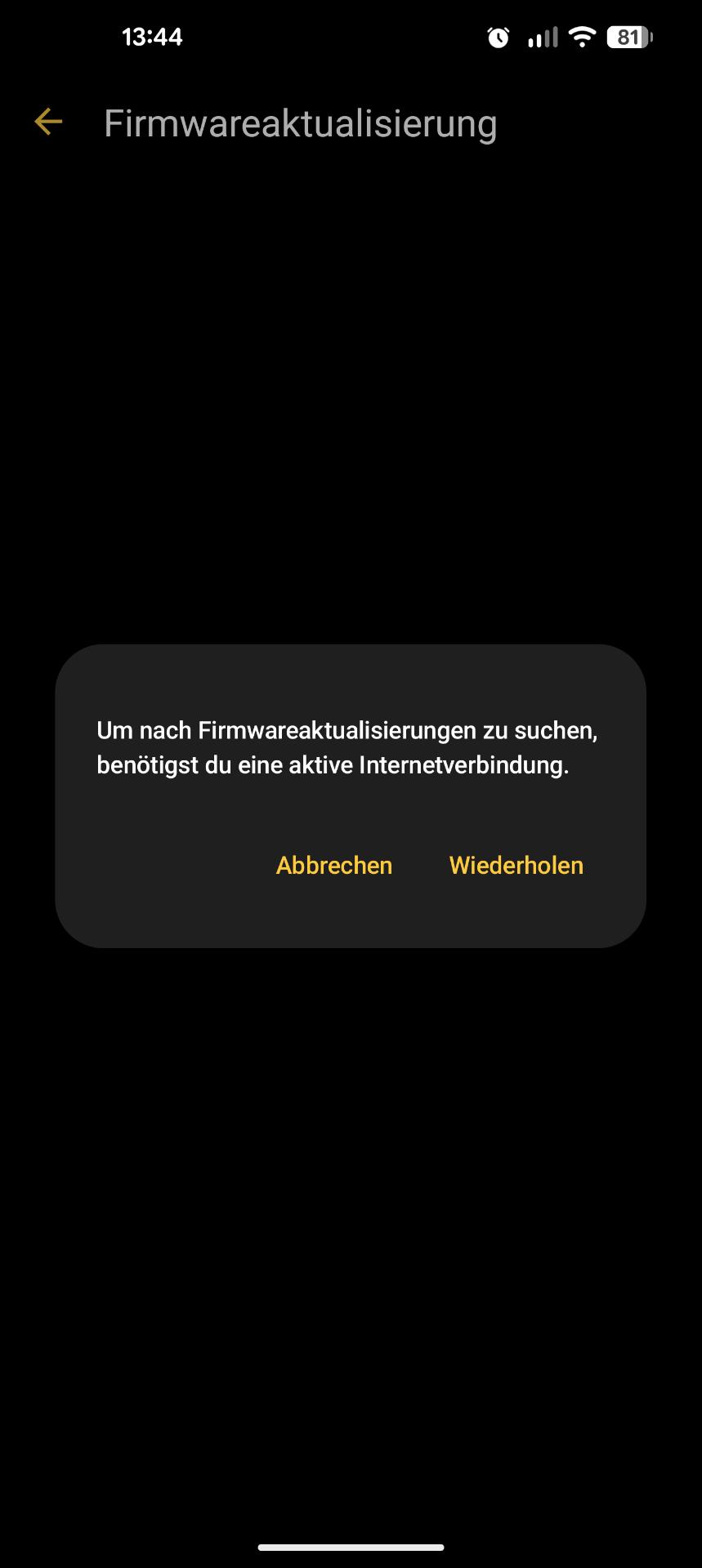
Thanks for the quick reply, we have a possible cause, but to confirm it we would need your app logs.
You can send them to us by going to the initial screen of the App → Side Menu → Help → Contact customer support , it’s best if you add to the description that you were asked to provide logs via the Developer Forum and afterwards tell me your ticket number (via DM) so that I can directly access it!
Thanks for your cooperation
Thanks, Ticket number has been sent in DM.
Some quick update here for anyone reading this.
The reason for the error is that Nuki is now requiring Google Device Attestation in order to download the firmware.
I might understand that they would like to lock down their “remote” API for remote controlling the lock, but blocking the firmware download does not make any sense (shouldn’t the lock validate the firmware anyways?)
This means anyone using for example LineageOS can no longer update their lock from the app.
This is an unfortunate development (which come just at the heels of Volkswagen locking down their API and also requiring device attestation)
Same as with them, there is no appreciable benefit to the end-user. The only one benefiting is Google by requiring to run their proprietary spy-blobs on your phone.
I thus call for Nuki to please allow at least the firmware update from the app in the same way that local (BT) lock/unlock is also still allowed.
If you have just put your whole API behind some Google protection including the firmware download endpoint, maybe have an alternative download URL for the firmware for such cases that the app could access.
The reason for the error is that Nuki is now requiring Google Device Attestation in order to download the firmware.
not quite, as stated in the FAQ article (Smart Lock WiFi/Thread/MQTT Connectivity FAQ - #11 by Juergen) we also use Hardware Key Attestation as a fallback on devices that do not provide Google services (Play Integrity API).
Through this fallback mechanism, custom operating systems that maintain a hardware-backed root of trust - such as GrapheneOS - remain supported without requiring Google Play Services or Google’s proprietary binaries.
A device will fail this hardware attestation if:
- The bootloader is unlocked/tampered with in a way that prevents the hardware security element from issuing a hardware-backed certificate.
- The device’s certificate chain is invalid, unverified, or signed by an untrusted/expired Certificate Authority (CA).
This mechanism protects our cloud ecosystem (and therefore our users) from potentially harmful behaviour.
I might understand that they would like to lock down their “remote” API for remote controlling the lock, but blocking the firmware download does not make any sense (shouldn’t the lock validate the firmware anyways?)
The firmware update via the app requires a connection to our ecosystem and is therefore also affected.
This means anyone using for example LineageOS can no longer update their lock from the app.
Automatic firmware updates can still be enabled and performed since the Smart Lock acts as a trusted client and can therefore download an update without any issues.
Suggestion: Maybe allowing firmware update via Matter / Home Assistant would be the best way forward to avoid having to either use a Google Phone or connect the lock to the internet.
Hi folks at NUKI,
you’re probably looking at this from the wrong end.
I have sort of the same issue with my opener under standard iOS.
Current iOS, current NUKI app:
Opener → Settings → General → Configure Opener → “To administer this device you have to be connected to the Internet.”
I am connected to the internet via Wifi. The app is also connected to the internet via Wifi. Connection info shows green for Bluetooth and Remote Access. Opening via LTE works perfectly.
So it most likely has nothing to do with Hardware Attestation or an unsupported OS.
Thanks for a quick fix, Alex
In Daniel’s case it was the result of the afforementioned failed attestation - but he took responsibility already and created a feature request in that regards.
In your case it seems to be an individual issue, therefore I’d ask you to create a support ticket via App → Side Menu → Help → Contact customer support + stating an approximate time when it occurred would be helpful, so that we can check the logs as quickly as possible.
Best regards
Zoran
Thanks Zoran. Done.