Solved!
After some digging through the forum and combining different approaches, here is what worked in case of the above initial cable set-up/wiring:
- New Wiring (with Nuki Opener):
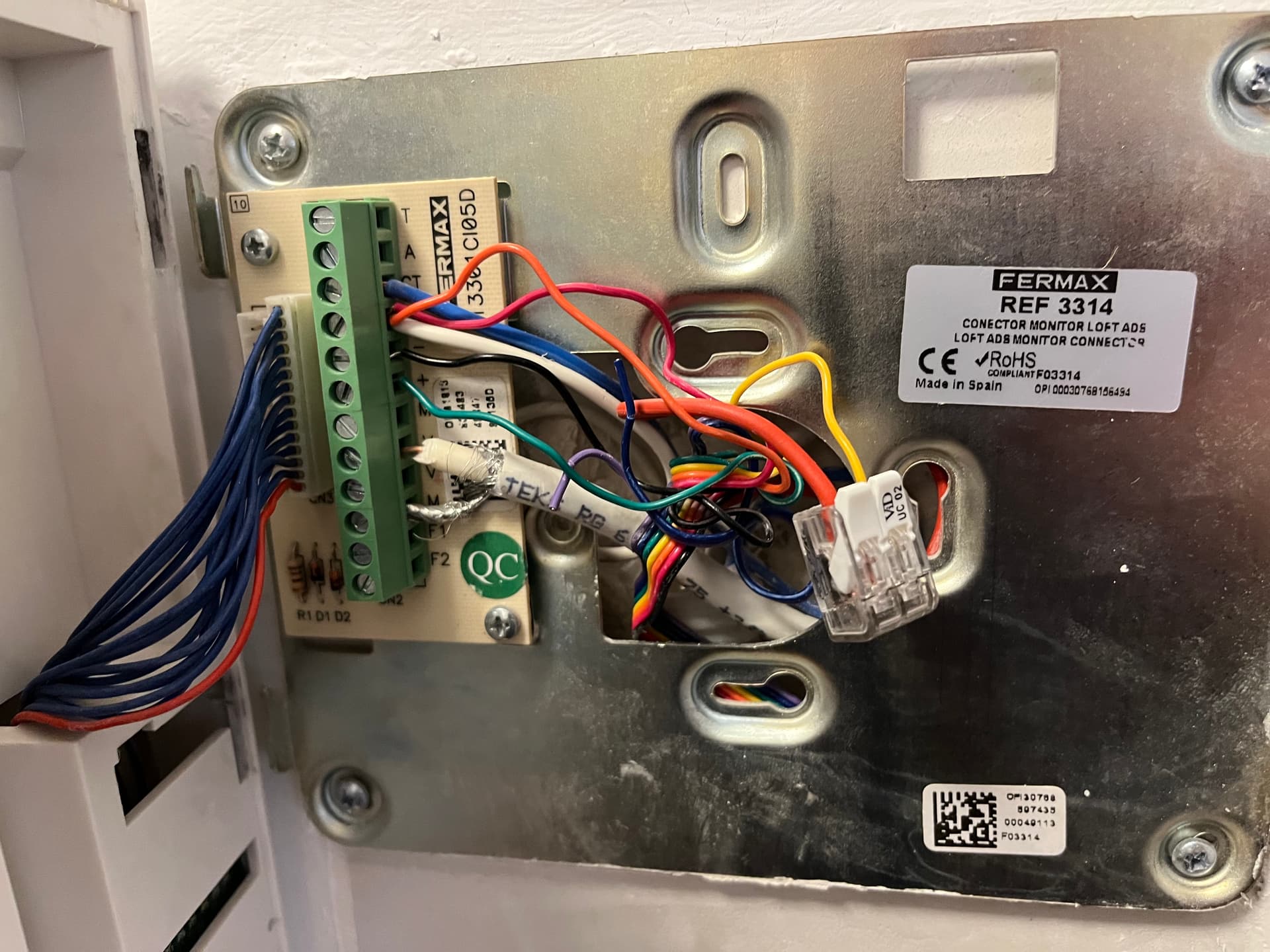
This wiring differs from the one suggested by the Nuki App! However, it was suggested in this forum by someone within Nuki (Mr. Sixt, I believe).
- Configuration in App
Configuring, I did the following:
- chose Generic (for Manufacturer) and Bus Fermax VDS/ADS Beta (for Model)
- indicated that doorbell needs to ring before door can be opened through a push of a button via the intercom
- indicated that no further action is needed to then open the door through a push of a button via the intercom
(!!!) For the next steps it is important that you activate the monitor/video camera on the intercom prior to each step (there is a dedicated button on the intercom for activating the monitor/video camera that needs to be pushed longer 1-2 sec.) - sent someone to the door to ring the doorbell (have the monitor/video camera activated, let that someone ring the doorbell and confirm in the app that the doorbell has rang)
- push the button to open the door
(the app might ask you to repeat some of the above steps, so do as told) - set the open delay in the app to 3 sec.
Done! Ring to Open should now work.
Open (through the app directly) does not work.
So, you have to activate Ring to Open (one time or permanently) and ring the doorbell to activate your intercom and allow Nuki Opener to sent the open door signal.
Nuki Team:
Please update the app/firmware of Nuki Opener to allow “opening” without ringing the doorbell first. This already can be done on the intercom manually by:
- longer pushing (1 to 2 sec.) the button to activate the monitor/video camera and
- pushing the button to open the door (while the monitor/video camera is active)…the monitor/video camera will then turn off and the door will open.
In the app, such configuration seems included but does not work. One could indicate that doorbell does not need to ring before door can be opened through a push of a button via the intercom. Then, it could be indicated that further action is needed, i.e. pushing the button to activate the monitor/video camera longer, to then open the door through a push of a button via the intercom.
Maybe, if easier, the processes for setting “ring to open” and “open” could be separated.