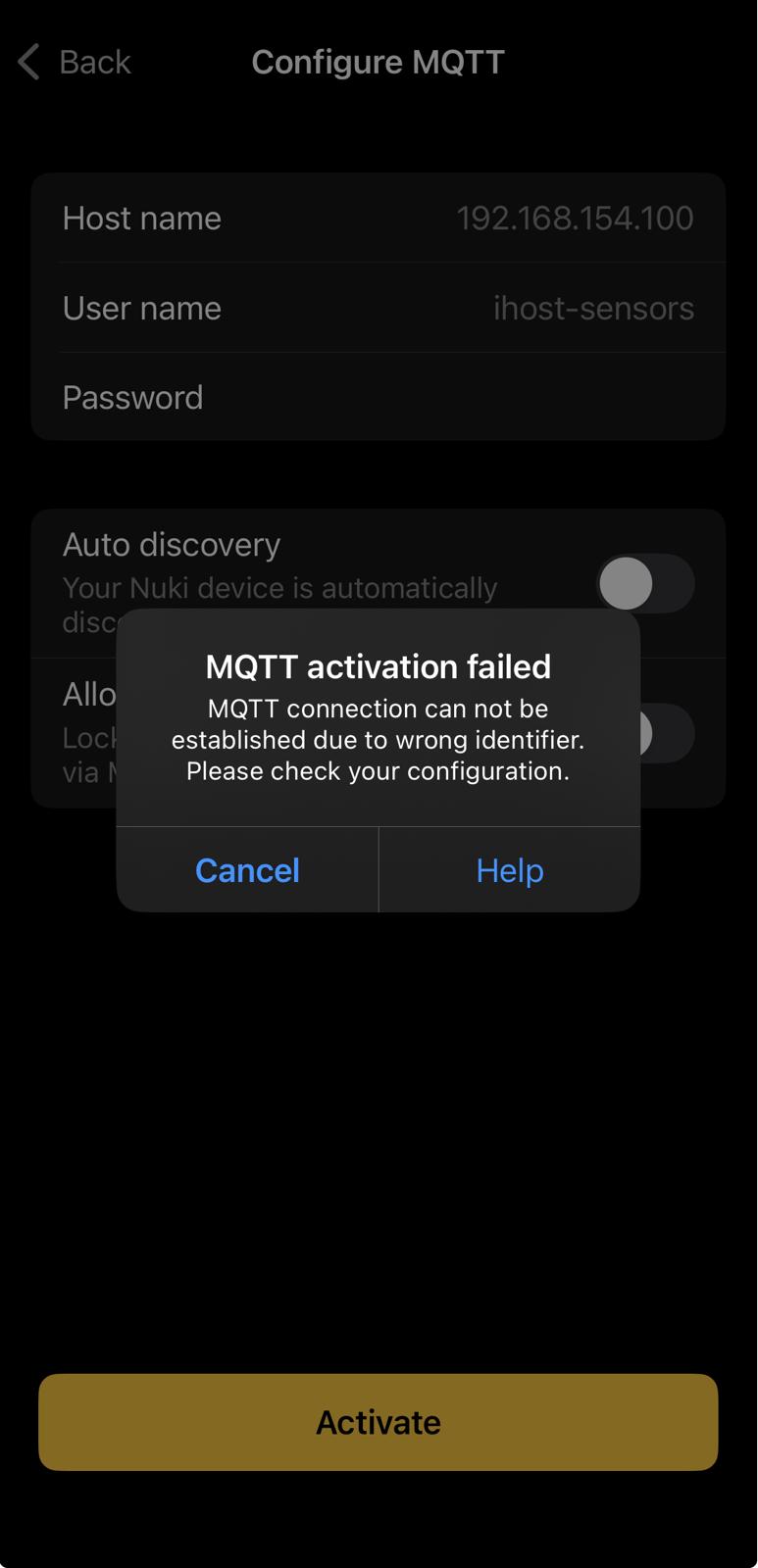
I have been trying to connect my Nuki 4 Pro to an MQTT broker, which is run on iHost machine. Leaving apart an interesting decision to hardcode 1883 port usage, at the end everything ended with “wrong identifier” error, even trying to connect via 1883 port to a fully operational Mosquitto broker, which operates up to v5 protocol and of course supports Client ID as well.
Then strange things started. One Nuki help’ article (as well as the Support agent later) was suggesting “to check the identifier” while no one still could explain clearly what this action means in reality.
Another article clearly stated as follows:
If the app indicates that the MQTT connection cannot be established due to an incorrect identifier, please contact our Support Team.
So I did, I contacted the Support and after 2 days of questioning me whether I tried to switch everything off and on again, whether the lock and the broker are in the same LAN, whether I “checked the identifier”, etc, etc, suddenly they concluded that there is nothing they could help with, they have no idea what that “check the identifier” means in details and they don’t know why the article suggest to contact them, as the issue (quote) unfortunately falls outside the scope of what our Customer Support team can directly assist with.
So, they suggested I have to go to the Developers’ forum and hopefully someone could help. So, here we are, I am here now hoping for a help.
It appears your broker is rejecting the client ID used by the Smart Lock’s MQTT client. This ID usually follows the format “Nuki_NUKI-ID-OF-YOUR-DEVICE”. This issue might be caused by specific ACLs, client ID naming conventions, or restricted characters like underscores. I recommend checking your broker logs to determine the exact cause of the rejection.
Ok, I made additional checks, what we have so far.
Fact A. The same Nuki lock doesn’t want to connect to iHost built-in Mosquitto broker while it perfectly connects to Mosquitto broker installed on my PC.
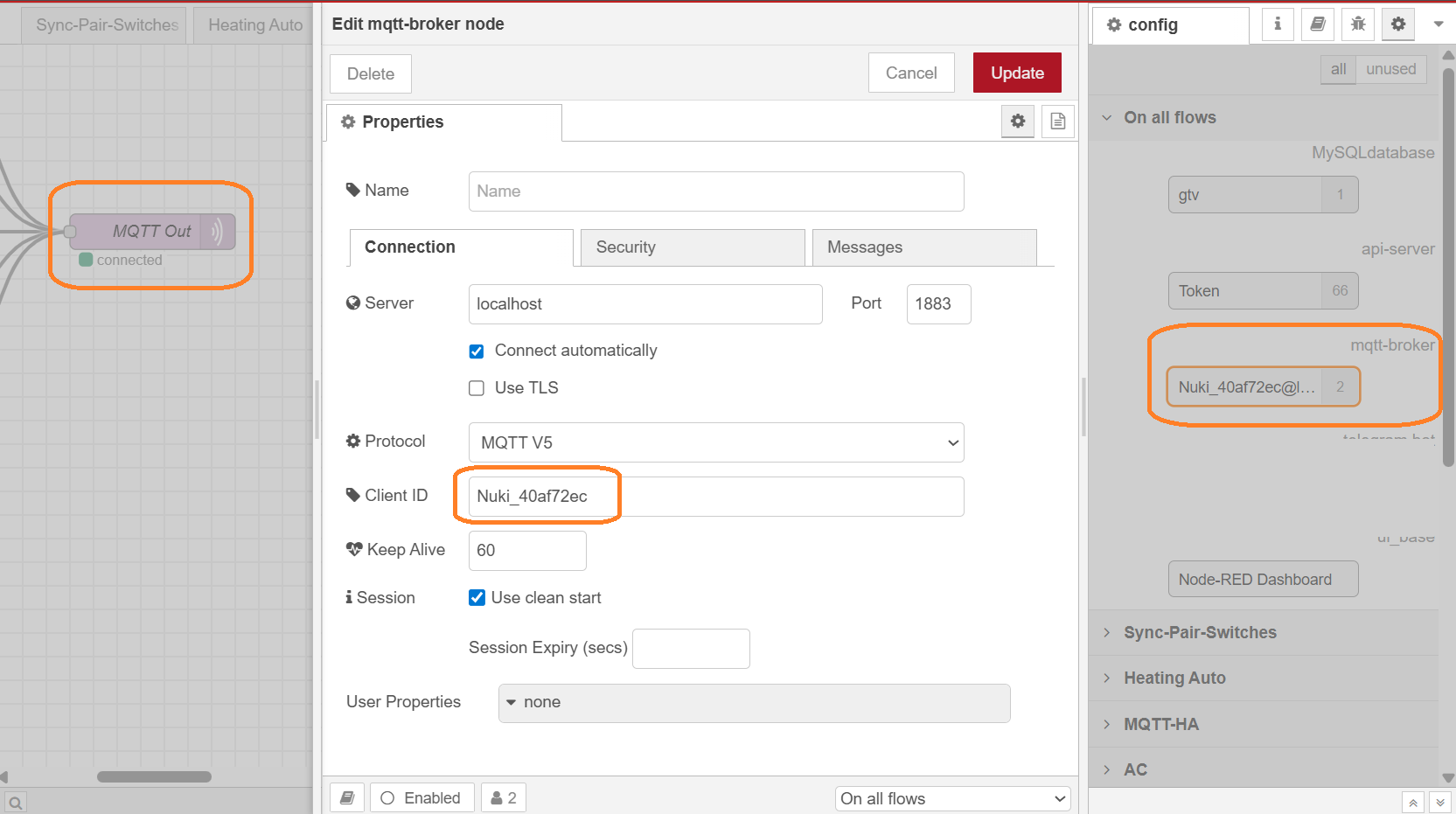
Fact B. iHost built-in Mosquitto broket operates up to v5 protocol and perfectly accepts connections from Client with Nuki_NukiID - please see the attached screenshot below
Fact C. iHost built-in Mosquitto broker is binded to port 1883, which is also hardcoded (the same as for Nuki lock, really pity situation), and it has no setup, no off switch, no log, no interface at all. So it just always runs and it blocks port 1883 from any other service.
Fact D. Nuki lock, itself, doesn’t want to connect to anything rather than port 1883, it’s really a pity story but it’s unfortunately hardcoded.
Taking into account #B - I don’t really think that the problem is really with the Client ID Nuki_40af72ec (same for Nuki_40AF72EC), as all of them are perfectly accepted by the same iHost built-in broker for other connections, from NodeRed, for example.
But what could be a solution, in such a situation?.
I think I ran into the same issue, and I sadly do not know how I did resolve it. I have Mosquitto Broker running in Home Assistant and it took a lot of fiddling around to get it to work. Tried creating different types of logins and eventually it worked.
One difference I notice: your “Host name” field has an ip address instead of a hostname. I also used the ip of my HA first, but now I use the hostname (homeassistant.local in my case). And that works for me now. I am not sure if that was the solution for me though.
Thanks, Rolf! Regarding the host name, I don’t think it could be a reason, as “wrong identifier” error most probably means that the broker on the specified host was reached, authentification was passed ok too, just the MQTT protocol connection setup didn’t finish successfully. But, anyway, I tried both options, IP and name - the result is the same anyway
That’s a local connection (localhost). You’d need to try it with a remote client (e.g. MQTT Explorer from your PC) and probably also MQTT V3.1.
Not sure if there is much you can do on the ihost itself. If your router/firewall supports it, you can try a port forwarding on the router which redirects traffic to someip:1883 to ihost:1884 with your custom broker running.
Jürgen, I am not a huge fan of conspiracy theory I mean, again, the “wrong identifier” problem appears after the server is contacted, tcp connection is established, and the authentification is passed. We could try, of course, now put it in a way that tcp connection and authentication work for both remote and localhost devices while sending an identifier is something so special, which works only for localhost - but I don’t think it’s a right direction.
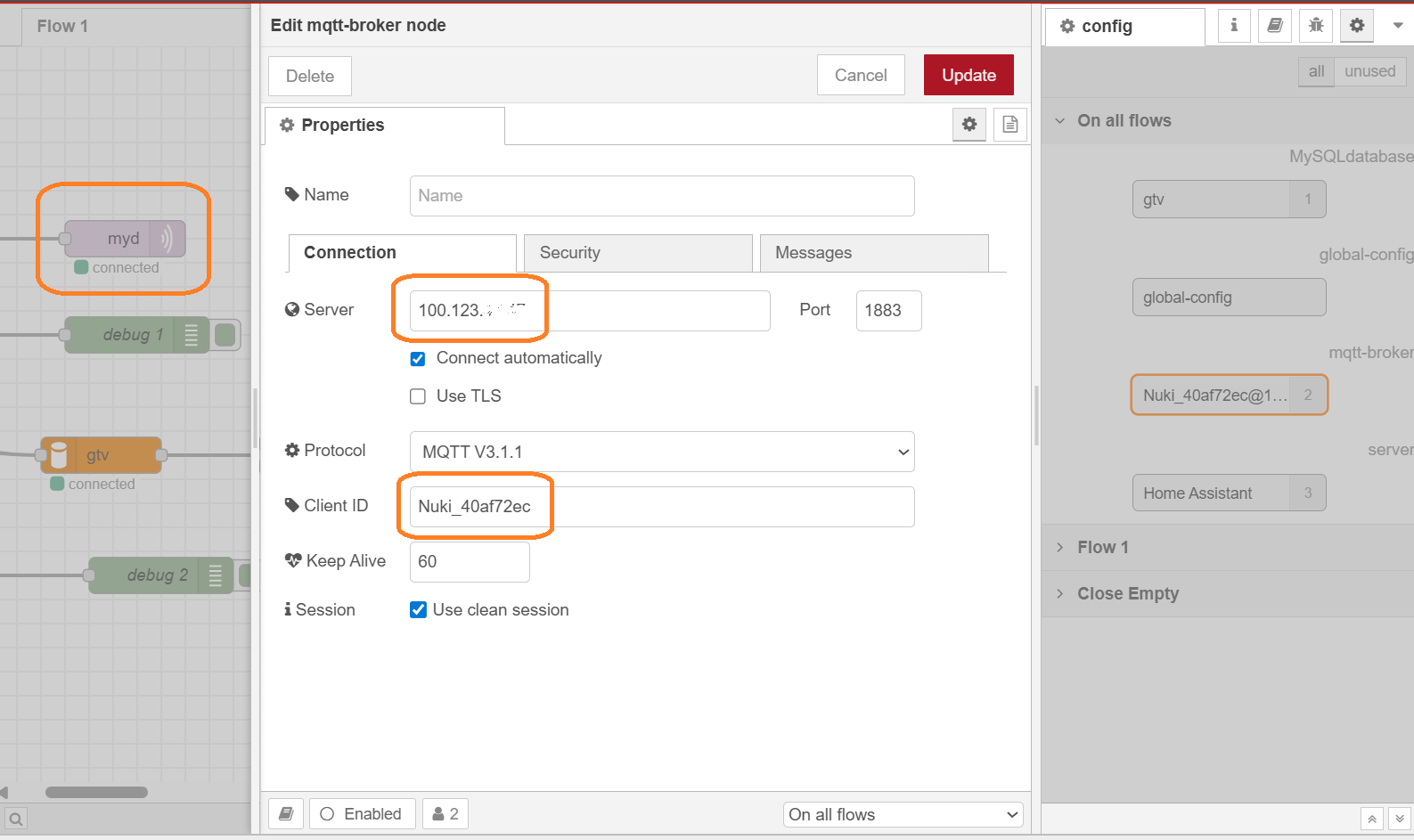
Unfortunately, I can’t go to the apartment where the lock is installed right now, however, I would confirm that the broker there is accepting connections with Nuki_40af72ec clientID even via VPN from here (see the attachment) - and this way more complex route that from same LAN device.
My personal impressions from this case are that it is not connected to the identifier but most probably to something else, and that hardcoding of ports (and similar decisions) creates too much hassle, unfortunately, which overshadow sometimes other even very positive parts of the product.